Mastering the iPhone Duo: Essential Settings and Customization Tips for New Owners
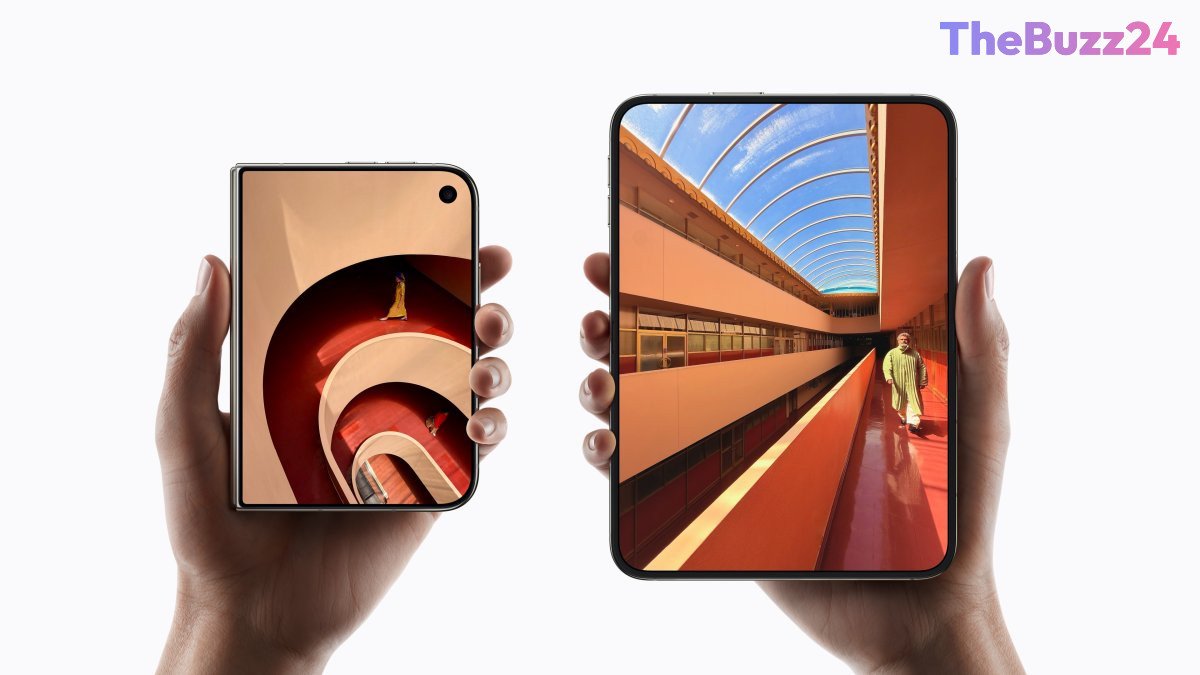
Apple’s innovative foldable handset, the iPhone Duo, has quickly captured market attention, leading to high demand and limited stock. While the device introduces a refreshing hardware form factor, adapting to its unique interface and security features requires navigating a few nuanced settings. Because the Duo relies on a side-mounted Touch ID sensor rather than Face ID, optimizing everyday authentication and navigation can significantly improve the user experience.
To make transitioning to the Duo seamless, users should take advantage of expanded biometric and accessibility configurations. Registering multiple fingerprints from both hands in various orientations ensures that the sensor recognizes your touch regardless of how the phone is held or flipped. Additionally, enabling the option to unlock the device using a nearby Apple Watch can bypass the fingerprint scanner entirely when you are on the move. For those who prefer a more fluid authentication process, turning on the ‘Rest Finger to Open’ accessibility setting allows you to simply rest your finger on the sensor rather than physically pressing the button.
Beyond security, tailoring hardware controls can make daily interactions much smoother. Users often find success by disabling fixed volume controls, allowing the volume buttons to dynamically reorient themselves based on how the phone is rotated. For capturing screenshots without wrestling with side-button combinations, configuring a back-tap gesture offers a convenient one-handed alternative. Furthermore, adjusting camera layouts and managing automatic flash behaviors during hands-free group shots help refine the multimedia experience on this versatile new foldable.
Key Takeaways
- The iPhone Duo utilizes a side-mounted Touch ID sensor instead of Face ID, requiring users to register multiple fingerprints across different hand orientations for easier unlocking.
- Integrating Apple Watch authentication and enabling 'Rest Finger to Open' can drastically streamline the device unlocking process.
- Customizing hardware behaviors such as dynamic volume buttons, back-tap shortcuts, and camera controls significantly enhances one-handed usability.
Editor’s Analysis & Impact
The explosive demand for Apple’s iPhone Duo highlights the market’s strong appetite for foldable form factors within the mainstream consumer electronics segment. However, transitioning consumers from established paradigms like Face ID to physical biometric sensors on a multi-directional device underscores the growing importance of software flexibility and user-experience engineering. As foldable devices continue to evolve, manufacturers must increasingly rely on intuitive operating system customizations and accessibility features to bridge the gap between novel hardware designs and everyday ergonomic comfort. This trend indicates that future smartphone adoption rates will heavily depend on how effortlessly devices can adapt to user behavior rather than forcing users to adapt to rigid hardware constraints.
Frequently Asked Questions
Q: Why doesn't the iPhone Duo support Face ID?
A: The iPhone Duo utilizes a side-mounted Touch ID sensor instead of Face ID, which requires users to adapt to fingerprint authentication for unlocking the device, approving apps, and using Apple Pay.
Q: How can I take screenshots more easily on the iPhone Duo?
A: You can configure a back-tap shortcut in the accessibility settings, allowing you to take a screenshot simply by double-tapping or triple-tapping the back of the device with one hand.
Q: Can I unlock my iPhone Duo without using my fingerprint?
A: Yes, if you wear a passcode-protected Apple Watch near your phone, you can enable the 'Unlock with Apple Watch' feature to bypass Touch ID automatically.
AI Disclosure: This article is based on verified data and official reports. Our Team and AI have cross-referenced every financial detail with primary sources to ensure total accuracy.
More from this Category