IconSwapper Brings Dynamic, Real-Time AI Usage Tracking to Your Mac Dock
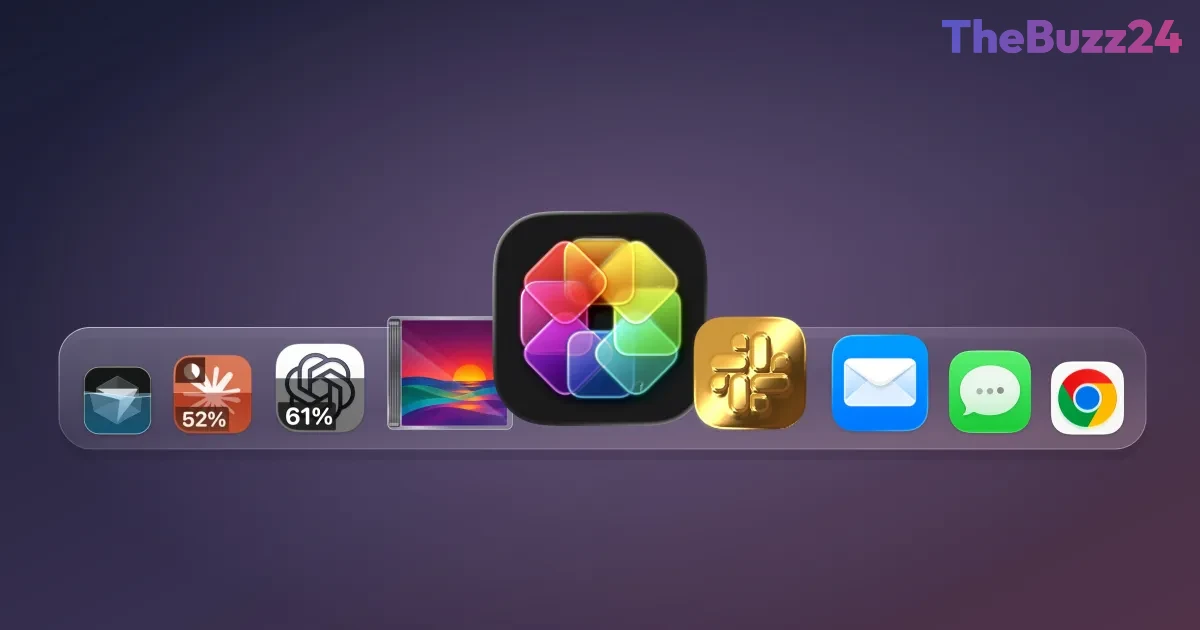
A new utility for macOS, IconSwapper, is changing how users interact with their desktop environment by enabling dynamic, live-updating app icons. Developed by designer Michael Flarup, the tool allows users to replace standard static application icons with custom versions that can display real-time data, including AI usage limits for platforms like ChatGPT, Claude, and Cursor.
The software functions by utilizing custom Metal shaders to render icon artwork in real time. By bypassing the limitations of macOS, which typically restricts system icon modification, the app draws directly onto the icons. This allows for sophisticated visual effects, such as animations that react to system events, cursor movement, or specific application activity. Users can also apply aesthetic customizations, such as unique shading and lighting effects, to make their dock more personalized.
Beyond functional tracking, the app offers a variety of playful configurations for standard macOS applications. Users can set the Safari icon to reflect page load progress or animate the Finder icon to follow the cursor across the screen. The tool includes a library of pre-made icons, though users also have the option to upload their own designs. Currently, the utility is available as a one-time purchase, offering a unique way to blend productivity monitoring with desktop personalization.
Key Takeaways
- IconSwapper allows Mac users to replace static app icons with dynamic versions that display live data, such as AI usage limits.
- The software uses custom Metal shaders to render animations and data-driven visuals directly onto the macOS Dock.
- The tool provides both functional tracking for AI services and aesthetic customization options for standard system applications.
Editor’s Analysis & Impact
IconSwapper represents a creative intersection between system utility and user interface personalization. By finding a technical workaround to macOS’s restrictive theming policies, the developer has tapped into a niche demand for ‘living’ desktop environments. From a market perspective, this highlights a growing trend where power users seek to integrate AI monitoring directly into their workflow rather than relying on browser tabs or secondary dashboards. While currently positioned as a niche customization tool, the underlying technology—using Metal shaders to manipulate Dock icons—could potentially be leveraged for more serious enterprise monitoring or notification systems. As AI usage becomes a daily necessity, tools that provide at-a-glance status updates without requiring context switching are likely to see increased adoption among developers and creative professionals.
Frequently Asked Questions
Q: Does IconSwapper require advanced technical knowledge to use?
A: No, the app is designed to be user-friendly, allowing users to select and configure live icons through a straightforward interface without needing coding skills.
Q: Can I use IconSwapper to customize apps other than AI tools?
A: Yes, the software supports a wide range of built-in and third-party applications, including Safari, Chrome, Spotify, and Finder, offering both functional and aesthetic customization options.
AI Disclosure: This article is based on verified data and official reports. Our Team and AI have cross-referenced every financial detail with primary sources to ensure total accuracy.
More from this Category