Beyond the Spotlight: iOS 27 Unveils Hidden Enhancements for iPhone Users
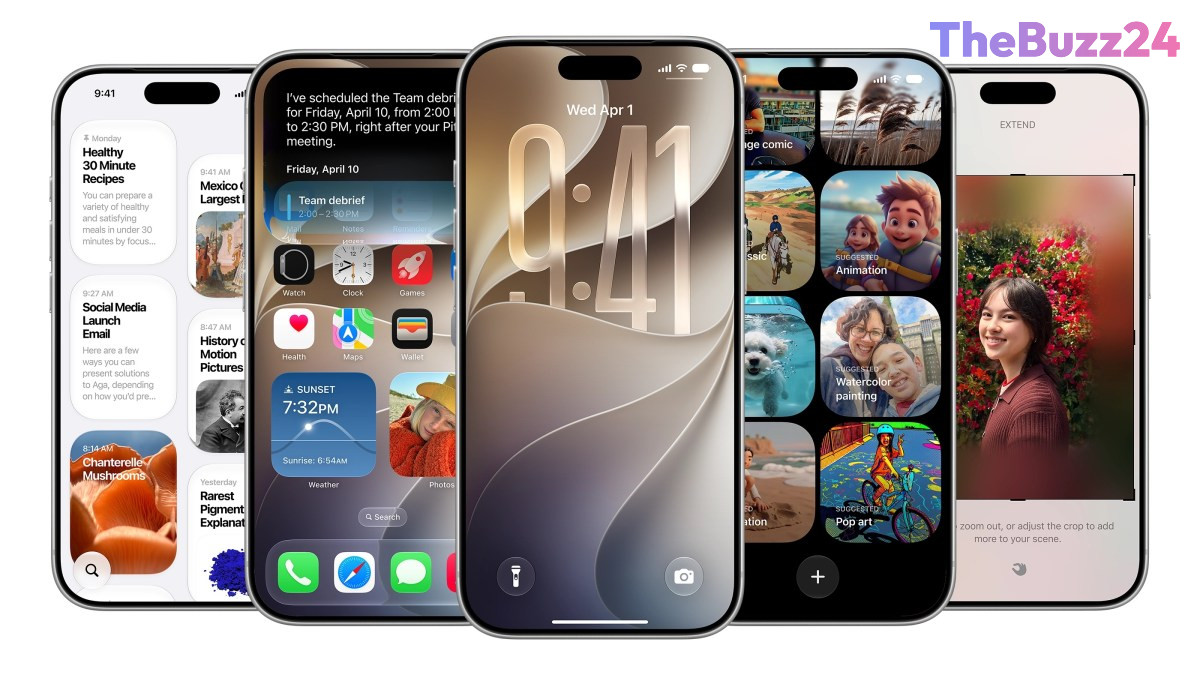
While Apple’s Worldwide Developers Conference (WWDC) this year prominently showcased the advancements in Siri AI, the upcoming iOS 27 update quietly introduces a wealth of smaller, yet significant, features designed to enhance the everyday iPhone user experience. These refinements, many of which were not highlighted during the main presentation, aim to streamline interactions and offer greater customization across the operating system.
Among the notable additions, iOS 27 now supports full-screen widgets on the home screen, providing users with a more expansive view for quick information scanning, such as news headlines or calendar schedules. Addressing a long-standing user request, the update also allows for independent volume control settings for alarms, timers, alerts, and system sounds, accessible through the Sounds & Haptics menu. Furthermore, the process of copying and pasting text or images between applications has been simplified, with a convenient paste option now appearing directly on the keyboard when content is in the clipboard, mirroring the ease of pasting one-time passcodes.
Several native applications receive thoughtful updates. The Weather app boasts a refreshed design, featuring a new highlights section for upcoming events and improved navigation between conditions, precipitation, and wind views. Communication is also refined, with the Messages app offering customization options for voice recording and dictation buttons, alongside a new Drawing feature for sketching notes or diagrams. Camera controls are overhauled for easier access to depth, grid, and level settings. For privacy-conscious users, iOS 27 introduces the ability to temporarily conceal one’s location in Find My from specific contacts without their knowledge. Other improvements include custom pass creation in the Wallet app, audio scrubbing in CarPlay, manual iCloud syncing for various data types, and intelligent holiday detection in Calendar to manage alarms.
These incremental yet impactful changes underscore Apple’s commitment to refining the user interface and adding practical functionalities that collectively elevate the overall iPhone experience. While the spotlight often shines on major AI breakthroughs, these subtle enhancements in iOS 27 demonstrate a continuous effort to address user needs and improve daily interactions with the device.
Key Takeaways
- iOS 27 introduces numerous subtle but impactful features beyond the main WWDC announcements, focusing on user experience refinement.
- Enhancements span user interface customization (full-screen widgets, volume controls), communication (Messages app updates), and utility apps (Weather, Camera, Wallet, CarPlay).
- New privacy features, such as temporarily hiding location in Find My, provide users with greater control over their personal data.
Editor’s Analysis & Impact
While the headline-grabbing Siri AI dominated Apple’s WWDC, the underlying iOS 27 updates reveal a strategic focus on enhancing the daily user experience through iterative improvements. These ‘quality of life’ features, though not revolutionary individually, collectively contribute to a more polished and intuitive operating system. This approach helps Apple maintain user loyalty and differentiate its ecosystem in a competitive market, demonstrating a commitment to both groundbreaking innovation and meticulous refinement. The emphasis on granular controls, privacy, and app functionality sets a high bar for competitors and ensures that the iPhone remains a highly functional and user-friendly device. Expect this dual strategy of major AI advancements coupled with continuous OS refinement to be a hallmark of future Apple software releases.
Frequently Asked Questions
Q: What was the main focus of Apple's WWDC this year?
A: The primary highlight of Apple's Worldwide Developers Conference (WWDC) this year was the introduction of the new Siri AI capabilities.
Q: Are there any significant visual changes to the iOS 27 home screen?
A: Yes, iOS 27 now allows users to add full-screen widgets directly to their home screen, providing easier access to information like news or calendar events.
Q: How does iOS 27 improve privacy features?
A: One notable privacy enhancement in iOS 27 is the ability to temporarily hide your location from specific individuals in Find My without notifying them.
AI Disclosure: This article is based on verified data and official reports. Our Team and AI have cross-referenced every financial detail with primary sources to ensure total accuracy.
More from this Category