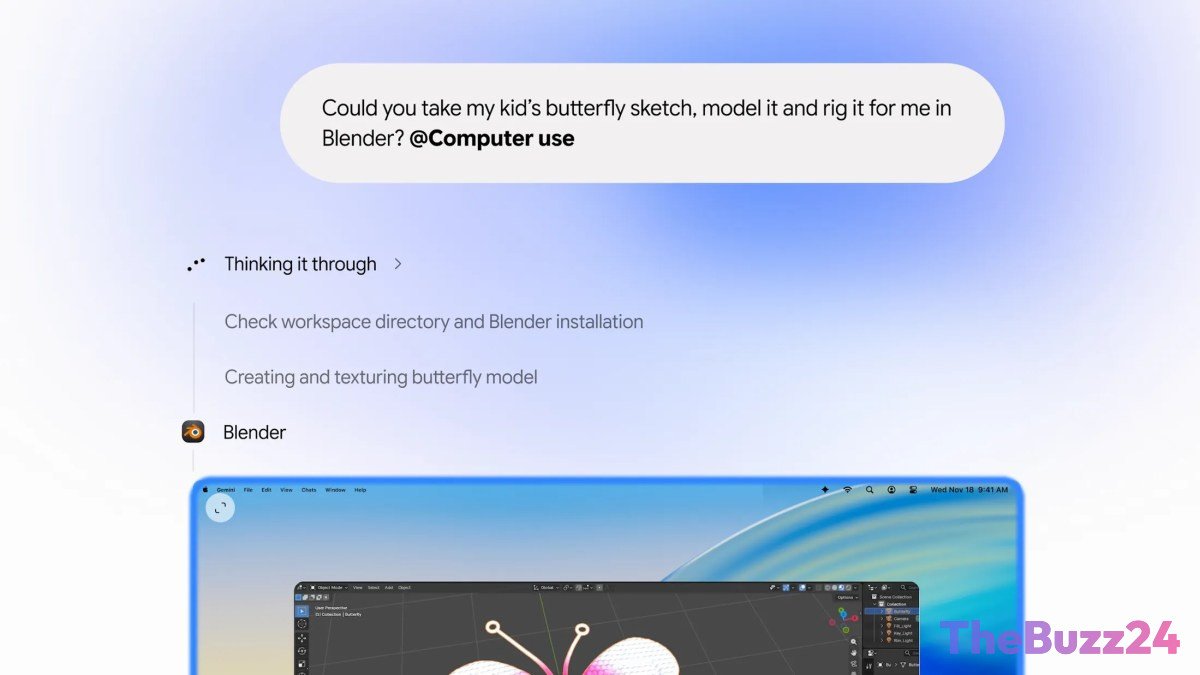
Google Gemini Now Controls Your Mac to Automate Tasks
Google has unveiled a significant update for its Gemini desktop application on macOS, empowering the AI to perform tasks directly on users’ computers. This new capability allows Gemini to navigate native Mac applications and browse websites in the background, acting as a digital assistant to complete user-defined objectives.
The move positions Gemini to compete with similar agentic features already available from other major AI developers, including OpenAI, Anthropic, and Meta. Google’s “Tasks” feature, which enables the AI to assist with actions like website logins, online purchases, and appointment bookings, is also seeing a broader rollout. Previously, Google had been testing its “CC” AI agent, designed for family organization across various digital platforms.
This “computer use” functionality enables Gemini to execute multi-step processes involving local files, applications, and web interactions. Users will observe the AI’s actions in a live preview within the chat interface, while maintaining the ability to continue their own work uninterrupted. Control remains with the user, who can pause, stop, or approve Gemini’s actions before they are executed, mirroring the safety features found in competing AI agents.
Google suggests this feature will streamline tedious and repetitive workflows. Potential applications include automated form filling, batch processing of files, organizing documents based on custom criteria, and generating presentations from existing data or online dashboards. The feature is currently available in English for U.S. users with the Gemini app for Mac and a Google AI Plus, Pro, or Ultra subscription. Expansion to other regions and platforms has not yet been announced.
Key Takeaways
- Google Gemini can now automate tasks on macOS by controlling native apps and browsing the web.
- The feature allows users to delegate multi-step processes, with live previews and user approval controls.
- Initially available in the U.S. for English-speaking users with specific Gemini subscriptions and the Mac app.
Editor’s Analysis & Impact
Google’s integration of agentic “computer use” capabilities into Gemini for macOS marks a strategic effort to catch up in the rapidly evolving AI assistant landscape. While competitors have offered similar functionalities, this move signifies Google’s commitment to making its AI more practical and integrated into daily workflows. The ability for AI to directly interact with local applications and files has profound implications for productivity, potentially automating mundane tasks and freeing up user time. However, the success of this feature will hinge on its reliability, security, and user trust, especially given the sensitive nature of granting AI control over a personal computer. Future expansion to other platforms and broader accessibility will be key indicators of its market impact.
Frequently Asked Questions
Q: What is "computer use" for Google Gemini?
A: "Computer use" is a feature that allows the Gemini AI to directly interact with and control your computer's applications, files, and web browsing capabilities to perform tasks on your behalf.
Q: Can Gemini perform any task on my Mac?
A: Gemini can perform a wide range of tasks, including navigating native Mac apps, browsing websites, filling out forms, organizing files, and creating presentations. However, users can pause, stop, or approve its actions, ensuring user control.
Q: Who can use this new Gemini feature?
A: Currently, the feature is available in English for users in the U.S. who have the Gemini app for Mac and a Google AI Plus, Pro, or Ultra subscription.
AI Disclosure: This article is based on verified data and official reports. Our Team and AI have cross-referenced every financial detail with primary sources to ensure total accuracy.
More from this Category